Here is a list of data recovery myths
1. Place hard drive in freezer
This possibly is the most widely known and tried myth which often results in complete hard disk and drive destruction, let’s take a look at the reasons why.
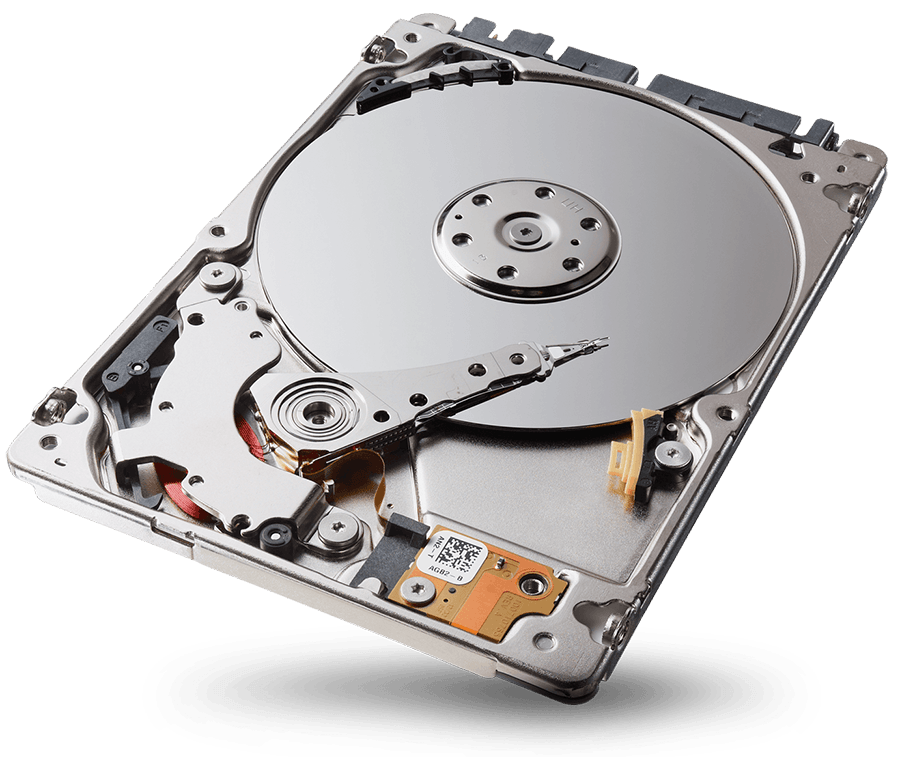
Hard drives operate on extremely fine tolerances there are fly heights of the head stack assembly rotational alignment between platters and spindle position for eccentricity information from the spindle., if the hard drive is placed into the freezer all of those measurements will be destroyed, additionally to this there will be a degree of water after the hard disk returns to normal or ambient temperature, how could the drive deal with this? Simply put it can not and may short out the preamplifier and or PCB upon switch on, for sure there are anecdotal evidence on the Internet of successful recovery from such a technique, our advice is do NOT attempt this if you value your data.
2.Replace PCB
This old chestnut has been doing the rounds for may years yet still is taking unsuspecting people in as they try this out, often with no recovery or worse still cause further issues which complicate the recovery further>
Many computer users are simply not aware of the complexity of modern hard drives and what each part of the disk actually perform, the PCB for instance is unique to the hard drive it was manufactured with and can not simply be exchanged or swapped with another even if you think that you have the right revision or firmware details as the PCB will not function correctly on the patient drive.
A ROM on the or flash storage devie will contain such details as the head map and other such type data pertaining to adaptive information of the storage device, so in short do not change the PCB.
3. Hit or drop the hard disk
Yes this really does happen! some clients actually hit the device to try and ‘coax’ the hard drive back into life, when you consider point 1 of this article you can see how dangerous this could be for the hard drive and your data, never drop or hit the media it will damage your drive further than it already is.
4.Format hard drive
This really is a shocking one, many users either voluntarily format there hard drive or follow the request to format the drive if there is some form of logical error and the system requests this, again do not format the hard rive it will not help.
5.Remove platters
This is a relatively new concept for end users and myths, basically the computer user will open the hard drive up and remove the platters to another working hard drive, this procedure is known in the industry as a platter swap and is very complex and requires a clean room and specialist equipment, and moreover is only required when the spindle is seized, many users have been observed attempting this for such issues as media which is not detected in the BIOS or clicking, media will not require platter swapping under these failure conditions.
Platter swapping requires a clean room environment and skilled engineers, equipment and techniques, NEVER remove the platters from your hard rive, as you will render your hard drive unrecoverable.